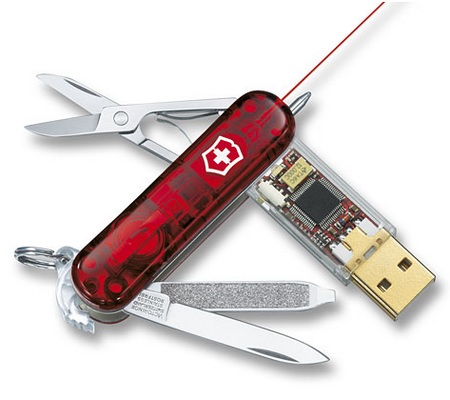
Based on Hiren's Boot CD 12 I created my personal Boot USB stick to be as complete as possible (containing more than 500 portable tools, 2,30GB). The original Hiren recovery CD contains many very useful tools to recover, tweak or patch pc's, divided into the following categories: Partition Tools, Backup Tools, Recovery Tools, Testing tools, RAM testing tools, Hard disk tools, System information tools, Master Boot Recovery tools, BIOS CMOS tools, Multimedia tools, Password tools, NTFS tools, Browser File manager tools, Other tools, Dos tools, Optimizers, Network tools, Process tools, Registry tools, Startup tools, Tweakers and Antivirus tools. A portable 'mini Windows XP' that can be run from the stick is available as well at boot time.
Many of the tools are available by booting up from the USB stick, but others need to be run into a Windows environment. These windows tools can be easily accessed by using the 'HBCDMenu.exe' tool which will be started when the cd or USB stick is started within a running Windows environment. Since the tools available within the 'HBCDMenu.exe' can be configured very easily using a 'HBCDMenu.csv' file, I created an Excel file to change the configuration an export to the csv file easier. Using this Excel it is much easier to move and rearrange the tools. Next I added all the tools I was still missing to make them available through the 'HBCDMenu.exe' tool. All tools are started using a DOS bat script and an UHARC archive. The archive is extracted in the PC's %temp% folder and started. All tools should be completely portable so no tool settings in the registry are kept after running them. I created a generic batch script to be able to run all tools in different modes: normal, just open a command window, just open an explorer windows, run the tool in Sandboxie, show online info on the tool, convert the tool into a zip file, force extraction of the uharc file. The mode is set by creating a specific file in the %temp% folder.
I keep all my personal files in a secured FreeOTFE file to make sure if I ever lose the stick no personal information can be discovered.
Besides the Hiren tools I also converted the latest BackTrack 4 bootable ISO to make it boot from a USB stick and added this into the Hiren boot screen menu. This live cd linux distribution is focused on penetration testing and perfect for quick and easy WEP cracking.
On the website of Hiren, a good explanation is provided by Hiren on how to easily convert the BootCD into a bootable USB stick using Grub4Dos. I used this 'menu.lst' as boot menu so it includes the launch of the BackTrack live environment and portable Mini Windows XP. Within an Windows environment, this 'autorun.inf' file is used to make it easier to start the 'autorun.exe' tool and other commonly used tools. To keep a backup of all my configuration, I configured a specific portable Dropbox so I can access all my tools online and keep them in sync on different locations.
The USB stick with all the extra tools requires now at least 2,29GB (I use it on a 8GB stick). I also added many of my extra tools into the CD iso file, but to keep it burnable onto a 80minute CD, some of the large tools didn't fit (office portable, tor browser, skype, toad, oracle client).
Compared to the original Hiren 10 boot cd, I've added different Windows tools. In the HBCDMenu cvs creator Excel, the complete list of all the tools are ordered in comprehensive categories. Many of these tools come from Sysinternals and Nirsoft since they provide some very useful portable little tools.
Update 25/11/2009: removed long list of personally added tools
Update 3/12/2010: update for Hiren Boot CD 12


 Posts
Posts

