I just discovered Redmine, and it looks quite promising to me as a project development tracking system.
InstantRails
Since I’m a big fan of portable applications, I tried to play with Redmine using InstantRails, but had some trouble getting it to run, since InstantRails uses some old versions of some required gems. So after upgrading gems to 1.3.7 and rack to 1.0.1 and finding some old version of the MySQL lib libmysql.dll v5.0 I got it all working nicely locally and portable. If anyone would like to play with it: download InstantRails 2.0 + Redmine 1.1.1 (42MB). I removed some parts of the gems documentation files to make it smaller.
The InstantRails package contains MySQL, Apache, Ruby and Rails. To use it, just run ‘InstantRails.exe’, the Apache and MySQL servers will automatically be launched.

During startup, InstantRails may request to regenerate the configuration because of a folder location change. Just press ‘Yes’. If Apache doesn’t start automatically, make sure the ‘apache\logs’ folder exists.
Next click on the ‘i’ button, in the menu chose ‘Rails Applications’ –> ‘Manage Rails Applications’, select ‘Redmine’ push the button ‘Start with Mongrel’.


A command window will open up and when it’s loaded you can navigate to http://localhost:3003 and start using your own personal portable Redmine. (default login: admin, password: admin). To manage the database, phpMyAdmin is included as well, just navigate to http://localhost/mysql.
If you don’t care to have it portable, you could as well install Ruby on Rails and Redmine using this 1 minute guide.
Plugins
Redmine 2 is included, but I added the following plugins I found interesting as well:
- Codereview: code review comments can be added in repository within Redmine. It has a project tab with an overview of the code review comments as well
- Hudson: project tab for Hudson administration
- Issue due date: automatically set issue due date to the version due date
- Timesheet: create a timesheet with overview of tracked timings
- Time Tracker: easily track timings while working on issues
- Wiki notes: extra wiki options, example created
- Wiki tabs: possibility to add a project tab linked to wiki page, not configured yet
- Tab: custom project tab configuration, configured to get the Sonar project information page
Demo
Within Redmine I configured roles, issues states, permissions and a workflow. I set up different users, projects and issues to be able to play with different configuration settings. Each user is configured to use the same password as the username: admin, teamleader, developer, etc. (see administration console). It is very easy to configure which role can perform what tasks and see specific content within Redmine.

Creation and management of issues is straightforward. It has a good integration of time tracking, at every update of an issue, the user can immediately update the time tracks.

With the time tracker plugin, it is even easier to track your timings. With an issues selected, you can easily let Redmine keep track of the time you spend on that issue by using the start/stop links at the top.

Reporting
An important part of an issue tracking system is the reporting capabilities.
A summary with the number of issue in open or closed state can be seen:

In the list of issues, filters can quickly be added and columns can be chosen:

In the roadmap overview, all versions / planned version of the project are listed with an overview of their related issues:

The activity overview shows the activities performed within a project.

The spent time within a project can be viewed in an overview:

But custom reports can be created on the fly as well:
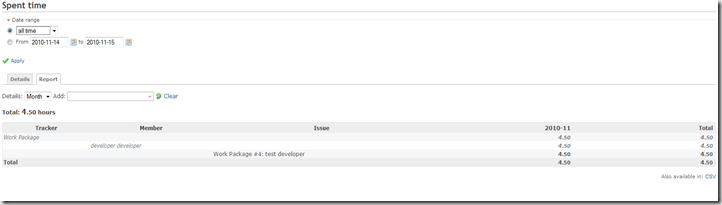

With the Timesheet plugin, an overview of all projects, all users, etc. of the spent time can be generated easily on the fly:

Integration
Specific plugins exist to integrate the Redmine issue lists with TortoiseSVN and TortoiseGIT: Tortoise Redmine Plugin.
For full integration, follow this manual for the BugTraq properties configuration.


Points of improvement
One thing I noticed during my tests: if an issues is updated and a user changes the state of the issue, he still can select any user to assign it to. In my opinion, only users able to make changes on the selected target state of the issue, should appear in the list of users to assign the issue to. An issue tracking system should enforce all constraints of the workflow to make sure an issue can’t come in an invalid workflow state (eg. assigned user can not change the status). But this problem occurs on most tracking systems I checked (Track+, Jira, etc.). See this feature request, I checked the plugin development, but so far I couldn’t make it work myself yet.
Update 31/01/2011: InstantRedmine package updated to Redmin 1.1.1


 Posts
Posts

